Getting Your Tax Transcript Online
Before you start
- A personal email address and a cell phone (for sign-in codes)
- Your Social Security number or ITIN
- A valid government photo ID: driver’s license, state ID, or passport
- A phone or computer with a camera, in case ID.me asks you to photograph your ID or take a selfie
- The current year’s transcript may be incomplete until all forms are reported. If it says “No record of return filed,” check back in early February or later.
- If the PDF doesn’t open, allow pop-ups for irs.gov.
- Never share your ID.me login. Only you should sign in to your IRS account.
Step 1: Sign in or create your account
Go to irs.gov/account and click Sign in or create account.
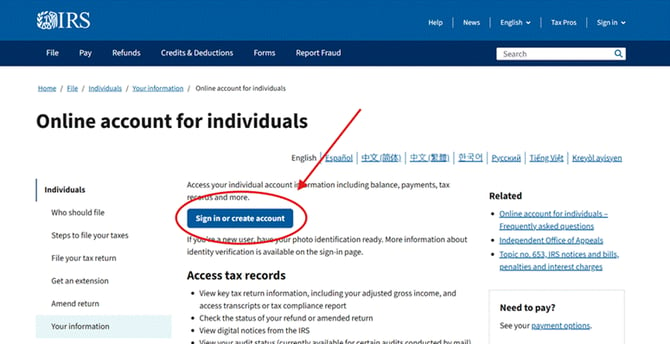
- Have ID.me already? Sign in with your email and password, enter the code sent to your phone, and go to Step 2.
- New user? Click Create an ID.me account. Enter your email and a password, then confirm your email from the message ID.me sends.
- Set up two-step sign-in (text message, authenticator app, or face/touch unlock).
- Verify your identity once: photograph the front and back of your photo ID, take a selfie if asked, and enter your SSN, date of birth and address. If this fails, ID.me offers a video call with an agent.
- Click Allow to share your verified identity with the IRS.
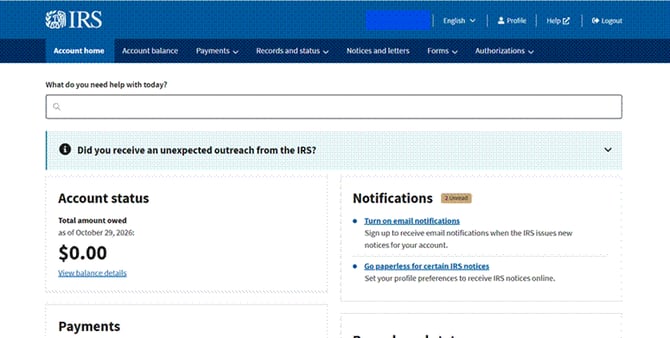
Step 2: Go to your Account home
After signing in you land on Account home. Scroll down to the Records and status box.
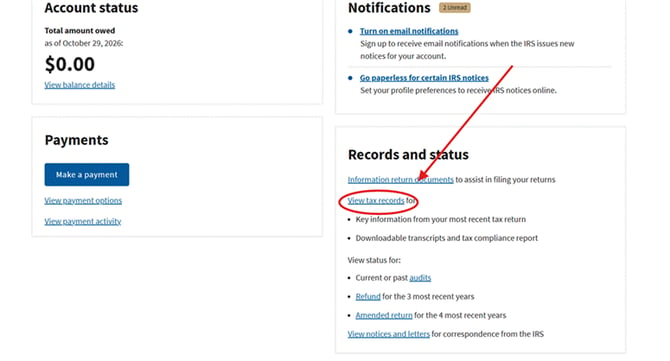
Step 3: Click "View tax records"
In the Records and status box, click View tax records.
Step 4: Click "View transcripts"
On the Tax records page, find the Transcripts box and click View transcripts.

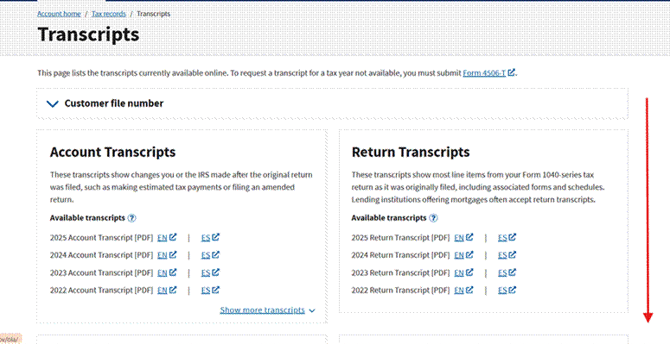
Step 5: Scroll down past Account and Return Transcripts
The Transcripts page lists four types. Account and Return Transcripts are at the top; scroll down to reach Wage & Income.
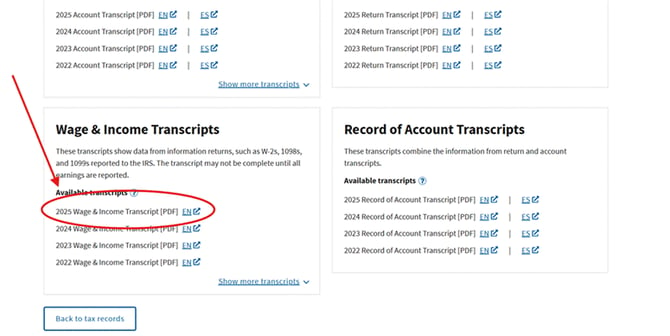
Step 6: Download the Wage & Income Transcript
Under Wage & Income Transcripts, click EN next to the tax year you need. The PDF opens in a new tab; save or print it. Click Show more transcripts for older years.
Can’t sign in? Get a transcript by mail or phone
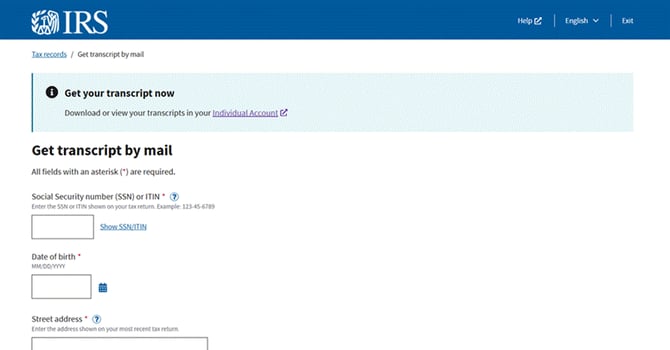
Step 1: Go to the Get Transcript page
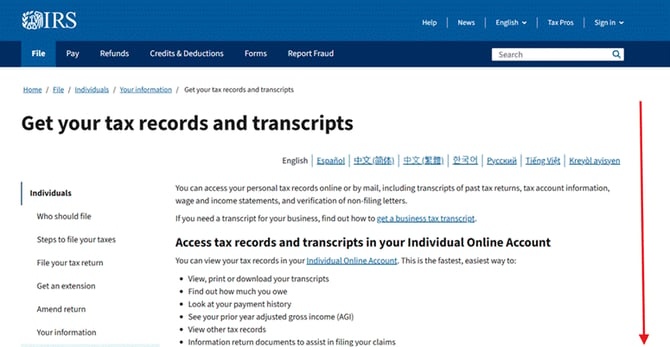
Go to irs.gov/individuals/get-transcript and scroll down past the online account section.
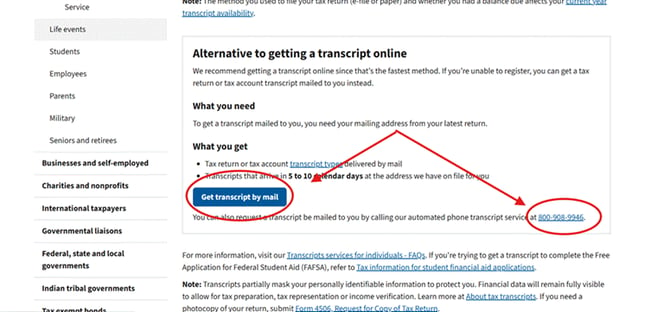
Step 2: Choose mail or phone
Under Alternative to getting a transcript online, click Get transcript by mail, or call the automated phone service at 800-908-9946 and follow the prompts.
Step 3: Fill in the mail request form
Enter your SSN or ITIN, date of birth, and your street address exactly as it appears on your most recent tax return. Then choose the transcript type and tax year and submit. If you’ve moved since that return, file Form 8822 to update your address first.